Current dining count
See members and visitors who are dining without manually counting an email thread.
Dining and seating
Dining numbers, guests, menu choices and payments remain current while the room is arranged and the caterer list is prepared.
Why it matters
Static lists become unreliable quickly in the final days before a meeting. Lodge Dashboard turns the latest member replies into the dining view, caterer information and table plan, keeping each person connected to their menu and dietary details as arrangements move.
See members and visitors who are dining without manually counting an email thread.
Menu selections and dietary requirements remain tied to the correct diner.
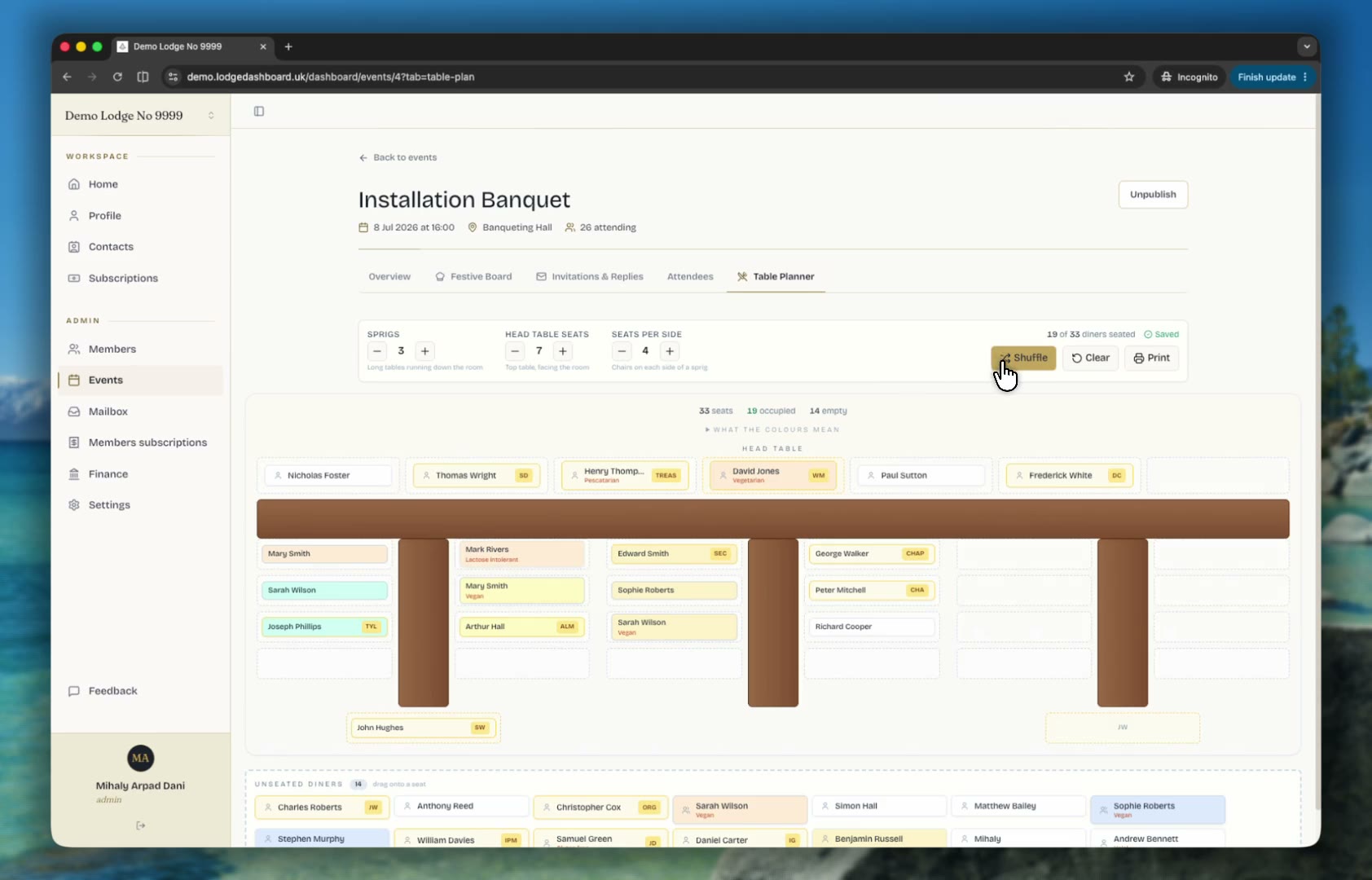
Arrange tables from the live attendance list and produce a clean plan for the evening.
The working sequence
Each step uses the information already collected by the last, keeping the lodge's operational view current without another hand-built list.
Add courses, choices, price and any information diners need before they answer.
Member and visitor choices arrive as part of the meeting response.
Use current totals and dietary notes without retyping names into another document.
Place confirmed diners in the table planner and keep the print view ready for the night.
Made for the people doing the work
See the current dining list, menu totals and dietary detail without waiting for a reconciled spreadsheet.
Guest names, choices and payment arrangements remain connected to the inviting member.
Use the seating plan alongside the wider meeting record and confirmed attendance.
Straight answers
Yes. The invitation can present the meeting's menu choices and collect dietary requirements for members and their visitors.
The table planner uses the current meeting attendance, so the committee can revise the room as replies and visitor arrangements change.
Yes. Current dining names, selections and dietary notes can be prepared from the same response data used by the lodge.
Continue through the product
Collect lodge attendance, apologies, guests, meal choices and dietary requirements through one simple personal invitation link.
Explore workflow 02Collect festive board fees and annual lodge subscriptions through GoCardless, with each payment matched to the right member or booking.
Explore workflow 03Prepare lodge meetings, ceremonies, roles, toasts and summons in one connected workspace for Craft lodges and Royal Arch chapters.
Explore workflow
A tailored 30-minute walkthrough
We will use the workflow your committee already follows and show where Lodge Dashboard removes repetition without asking members to learn another system.
Book a tailored demo