One current roll
Keep contact details and membership information in a shared authorised record.
The lodge roll
Give authorised officers a reliable lodge roll that supports meetings and communication without making one private spreadsheet the institutional memory.
Why it matters
Contact details, offices, ranks and attendance often live in different files maintained by different officers. Lodge Dashboard keeps the member record useful in context: invitations go to the right address, responses return to the right person and the committee can see the operational history it is authorised to use.
Keep contact details and membership information in a shared authorised record.
Record lodge offices and Provincial or Grand rank history alongside the member.
Invitations, attendance and relevant communication remain connected to the member.
The working sequence
Each step uses the information already collected by the last, keeping the lodge's operational view current without another hand-built list.
Bring member names and contact details into a structured workspace prepared for the lodge.
Record offices and rank information needed by authorised committee members.
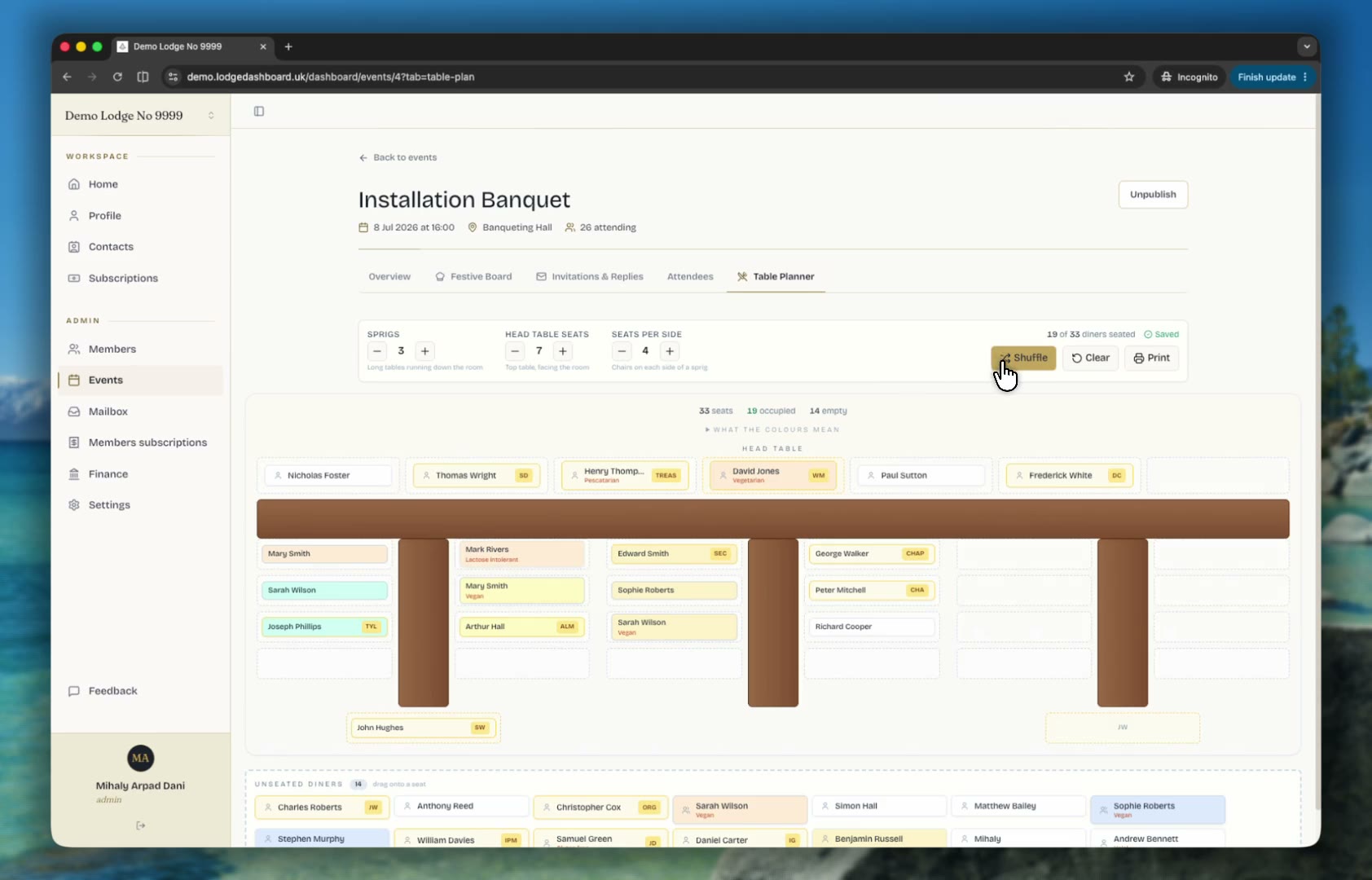
Send personal invitations and receive responses against the existing member record.
Update the shared record as responsibilities change instead of handing over a private file.
Made for the people doing the work
Use current details for invitations and administration without duplicating the member list.
Authorised roles can work from the information their responsibilities require.
Handover starts with a maintained system rather than an unexplained personal spreadsheet.
Straight answers
The lodge roll supports contact details, offices and Provincial or Grand rank history, alongside the meeting activity needed for lodge administration.
No. Lodge Dashboard uses authorised committee access so responsibilities can remain clear and access can be appropriate to the role.
The Lodge Dashboard team can prepare the initial lodge setup from the information supplied, reducing the work needed before the first meeting is run.
Continue through the product
Keep lodge meeting, communication, member and payment records available to authorised officers through committee handovers.
Explore workflow 02Prepare lodge meetings, ceremonies, roles, toasts and summons in one connected workspace for Craft lodges and Royal Arch chapters.
Explore workflow 03Collect lodge attendance, apologies, guests, meal choices and dietary requirements through one simple personal invitation link.
Explore workflow
A tailored 30-minute walkthrough
We will use the workflow your committee already follows and show where Lodge Dashboard removes repetition without asking members to learn another system.
Book a tailored demo